Zoom and scroll traces using W,A,S,D keys.
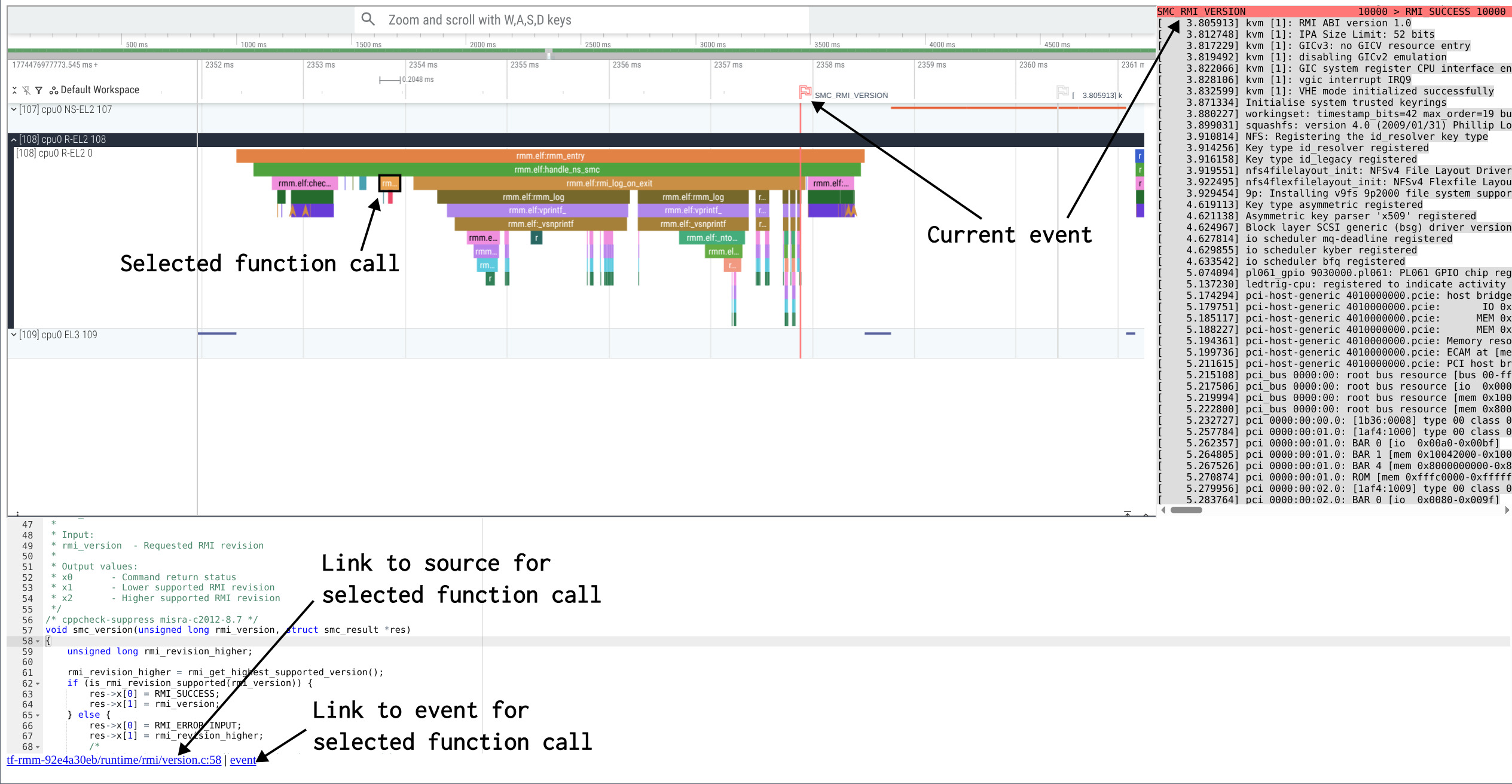
Click on a function to see its source code.
Kernels, firmwares and bootloaders are complex to understand.
This website gives you a unique opportunity to start exploring them, by showing what is happening when something is printed on the console.
Click here to see implementation details
Based on QEMU with uftrace plugin,
uftrace and perfetto to visualize traces.
Binaries, traces and website are generated using qemu-linux-stack.
    git clone https://gitlab.com/qemu-project/qemu
    cd qemu && ./configure && ninja -C build && cd ..

    git clone https://github.com/p-b-o/qemu-linux-stack
    cd qemu-linux-stack
    ./build.sh
    env INIT=true ./trace.sh ../qemu/build/qemu-system-aarch64
    ./uftrace-web-viewer.sh
Quick Tutorial
Expand a track by clicking on the left side of screen.
Zoom and scroll traces using W,A,S,D keys.
Click on a function to see its source code.
    Once upon a boot,
    there was an arm64 cpu,
    running on QEMU virt machine,
    with TF-A as a secure monitor,
    U-boot as a bootloader,
    and the Linux kernel...
    [src]
    Once upon a boot,
    in the age of confidential computing,
    there was an arm64 cpu,
    running on QEMU virt machine,
    with TF-A as a secure monitor,
    TF-RMM as the Realm Management Monitor,
    edk2 as a bootloader,
    and the Linux kernel.
    After booting, someone booted a nested VM in Realm world using kvmtool...
    [src]
    Once upon a boot,
    there was an arm64 cpu,
    running on QEMU virt machine,
    with TF-A as a secure monitor,
    Hafnium as a secure partition manager,
    OP-TEE as a trusted execution environment,
    U-boot as a bootloader,
    and the Linux kernel.
    After booting, someone called hello world OP-TEE application as an example...
    [src]
    Once upon a boot,
    there was a riscv64 cpu,
    running on QEMU virt machine,
    with opensbi as supervisor,
    and the Linux kernel...
    [src]
    Once upon a boot,
    there was a x86-64 cpu,
    running on QEMU pc-i440fx machine,
    with edk2 as a bootloader (not covered in this story),
    and the Linux kernel...
    [src]